
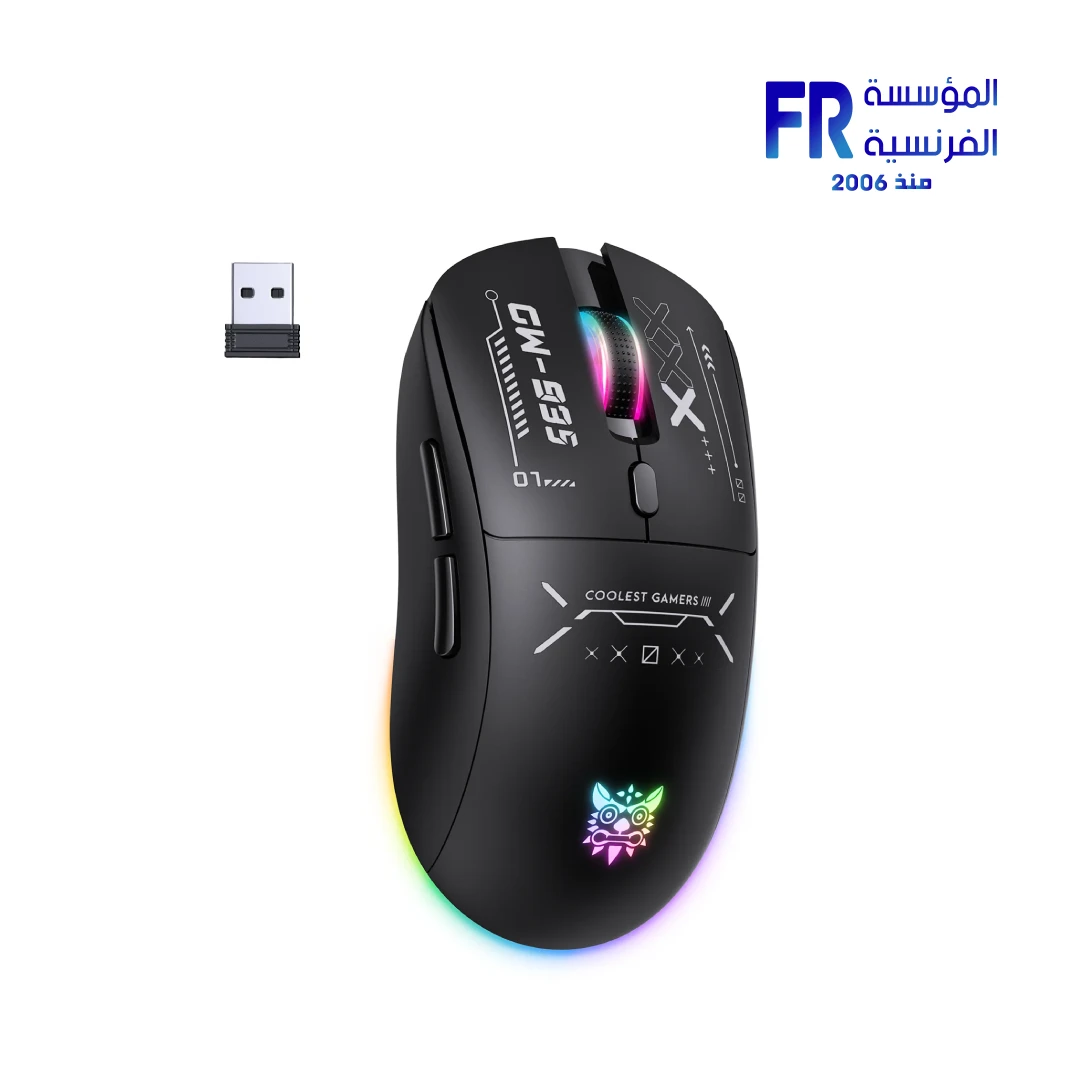
Description
{“@context”:”https://schema.org/”,”@type”:”Organization”,”name”:”Alfrensia”,”url”:”https://alfrensia.com”,”logo”:”https://alfrensia.com/wp-content/uploads/alfrensia-logo.png”,”description”:”Egypt’s trusted destination for premium PC peripherals and gaming hardware since 2006.”,”address”:{“@type”:”PostalAddress”,”addressCountry”:”EG”,”addressLocality”:”Cairo”}}
{“@context”:”https://schema.org/”,”@type”:”Product”,”name”:”Onikuma CW935 12800 DPI Tri-Mode RGB Wireless Gaming Mouse”,”sku”:”MO-02-02″,”gtin13″:”6972470564495″,”brand”:{“@type”:”Brand”,”name”:”Onikuma”},”description”:”Onikuma CW935: Ergonomic tri-mode wireless gaming mouse featuring 12800 DPI optical sensor, 6 programmable buttons, hidden receiver storage, and RGB lighting.”,”offers”:{“@type”:”Offer”,”priceCurrency”:”EGP”,”price”:”649.00″,”availability”:”https://schema.org/InStock”,”itemCondition”:”https://schema.org/NewCondition”,”seller”:{“@type”:”Organization”,”name”:”Alfrensia”}},”aggregateRating”:{“@type”:”AggregateRating”,”ratingValue”:”4.6″,”reviewCount”:”89″}}
{“@context”:”https://schema.org/”,”@type”:”FAQPage”,”mainEntity”:[{“@type”:”Question”,”name”:”What is the maximum DPI of the Onikuma CW935?”,”acceptedAnswer”:{“@type”:”Answer”,”text”:”The CW935 features a custom optical gaming chip with up to 12,800 DPI and 6 adjustable levels (800/1600/2400/3200/6400/12800) for precise control across different game genres.”}},{“@type”:”Question”,”name”:”Does the Onikuma CW935 have Bluetooth connectivity?”,”acceptedAnswer”:{“@type”:”Answer”,”text”:”Yes. The CW935 supports triple-mode connectivity: stable 2.4GHz wireless for gaming, reliable wired USB mode for lag-free esports, and Bluetooth for versatile device pairing.”}},{“@type”:”Question”,”name”:”Where is the USB receiver stored on the CW935?”,”acceptedAnswer”:{“@type”:”Answer”,”text”:”The CW935 features a cleverly designed hidden compartment at the bottom of the mouse that securely stores the 2.4GHz dongle, making it perfectly portable and ready to use anywhere.”}}]}
{“@context”:”https://schema.org/”,”@type”:”BreadcrumbList”,”itemListElement”:[{“@type”:”ListItem”,”position”:1,”name”:”Home”,”item”:”https://alfrensia.com/en/”},{“@type”:”ListItem”,”position”:2,”name”:”Accessories”,”item”:”https://alfrensia.com/en/product-category/accessories/”},{“@type”:”ListItem”,”position”:3,”name”:”Mouse”,”item”:”https://alfrensia.com/en/product-category/accessories/mouse/”},{“@type”:”ListItem”,”position”:4,”name”:”Onikuma CW935″}]}
Onikuma CW935 Gaming Mouse
The Onikuma CW935 mouse combines superior ergonomic comfort with triple-mode connectivity and 12,800 DPI precision. Featuring 6 programmable buttons, hidden receiver storage, and customizable RGB lighting, it delivers versatile performance for both gaming and productivity.
Technical Specifications
Is the Onikuma CW935 Right For You?
✓ Best For
- ✔ Gamers seeking all-day ergonomic comfort
- ✔ Multi-device users needing tri-mode flexibility
- ✔ Budget-conscious players wanting reliable precision
- ✔ Travelers who need secure hidden receiver storage
✗ Not Ideal For
- ✗ Competitive esports players requiring flagship sensors
- ✗ Users preferring ultra-lightweight sub-60g designs
- ✘ Those needing 8KHz polling rate or advanced macros
Key Features of the CW935 Mouse
Superior Ergonomic Design
Perfectly contoured shape naturally supports hand and wrist, reducing fatigue during long gaming sessions. Designed for all-day comfort and natural grip.
6-Level DPI Precision
Custom optical chip delivers pinpoint accuracy. Instantly switch between 6 DPI levels (800–12800) to match gameplay from precise sniping to fast-paced action.
Triple-Mode Connectivity
Choose stable 2.4GHz wireless for clutter-free setup, reliable wired mode for lag-free esports, or Bluetooth for versatile device pairing across platforms.
6 Programmable Buttons
Execute complex commands with ease. Six responsive buttons offer convenient fast operation, allowing advanced macro programming and in-game shortcuts.
Hidden Receiver Storage
Never lose the USB receiver again. Cleverly designed hidden compartment at bottom securely stores 2.4GHz dongle, making mouse perfectly portable.
RGB Lighting
Customizable RGB backlight enhances your setup aesthetic. Multiple lighting modes and colors available to match your gaming environment and personal style.
Platform Compatibility
| Platform | Supported | Notes |
|---|---|---|
| Windows PC | ✔ Full | All three connection modes supported |
| macOS | ✔ Full | Bluetooth & wired plug-and-play |
| Smartphones / Tablets | ✔ Full | Via Bluetooth connectivity |
| Laptops | ✔ Full | All connection modes supported |
What’s In The Box
Common Questions About the CW935 Mouse
What is the maximum DPI of the Onikuma CW935?
12,800 DPI. The CW935 features a custom optical gaming chip with up to 12,800 DPI and 6 adjustable levels (800/1600/2400/3200/6400/12800) for precise control across different game genres.
Does the Onikuma CW935 have Bluetooth connectivity?
Yes. The CW935 supports triple-mode connectivity: stable 2.4GHz wireless for gaming, reliable wired USB mode for lag-free esports, and Bluetooth for versatile device pairing.
Where is the USB receiver stored on the CW935?
Hidden bottom compartment. The CW935 features a cleverly designed hidden compartment at the bottom of the mouse that securely stores the 2.4GHz dongle, making it perfectly portable.






Reviews
There are no reviews yet.